
Your look
Your till, your look.
Pick a colour palette, put the menu and the ticket where your staff want them, and add your logo. Set it up once and change it any time.
Interactive viewer
Try it
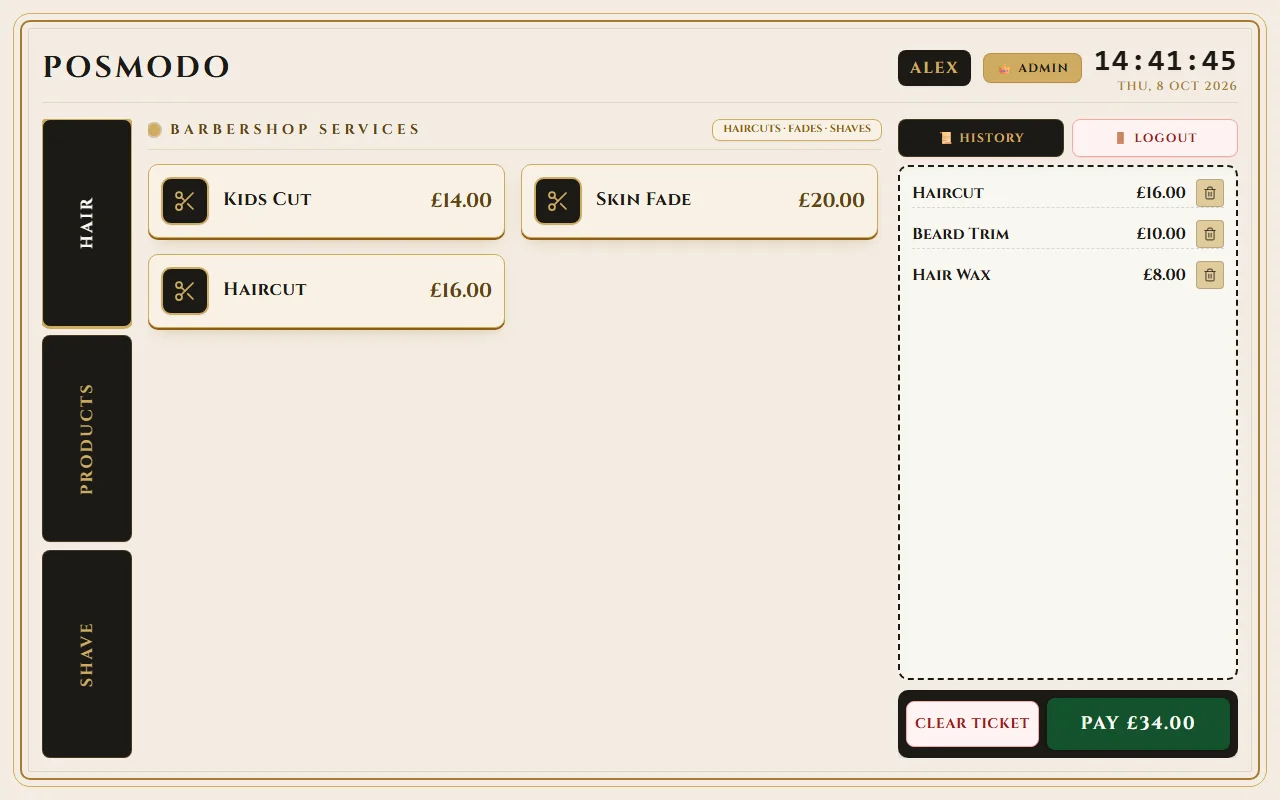
Golden Touch · menu on left · ticket on the right
Categories
As many categories as you need
A barber might need two. A salon might need six. Name each one, give it a heading and a short subtitle, and put them in order with the up and down buttons. The till lays the tabs out in lines of up to four, so five to eight categories stay tidy.
Single row
Arranged as 3 + 2
Arranged as 4 + 4
Colour choices
Six palettes to start with
Every palette is checked for readable text. More may follow.
Customisation
Make it yours
Logo
Upload an image or paste a link. POSModo keeps its own copy on the tablet, so it shows even offline. No logo? Your shop name appears as text.
Name, address, phone and VAT number
Add all your shop details in one place for receipts and daily reports.
Receipt header and footer
Include custom messages, opening hours, or return policies on your printed receipts.
Currency, language format and timezone
Set for your country, so dates, times and the day's reports follow your clock.
Date and time format
Choose 12-hour or 24-hour clock and your preferred date order.

Flexibility
Change it any time
Open the setup wizard from Backup and Database and change anything. Nothing is deleted.
On Basic, your settings are saved in your backup file, so a new tablet looks like the old one once you restore it.
On the Shop server plan, your shop details and logo are shared with every tablet; each tablet keeps its own colours and layout.
FAQ